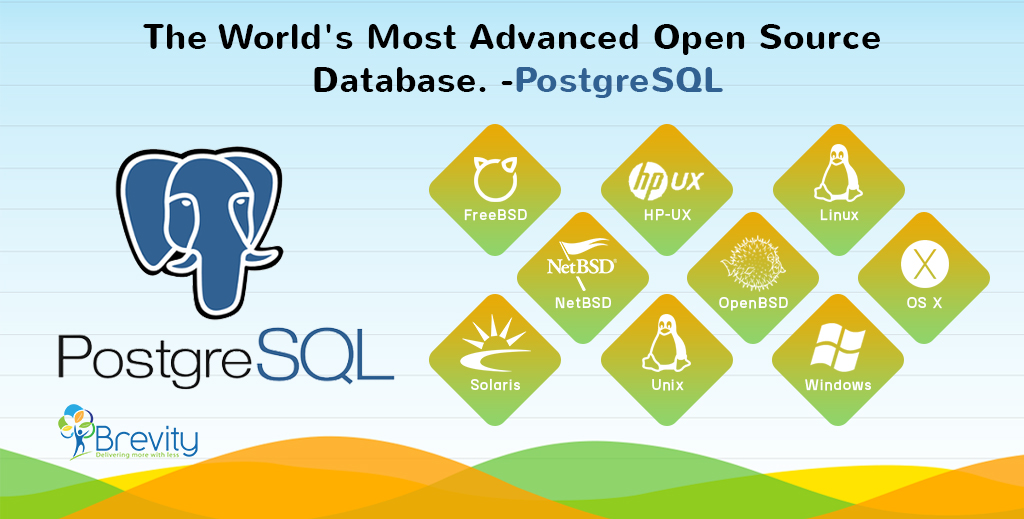
The world’s most advanced open source database – PostgreSQL
You may be asking yourself “Why PostgreSQL?” There are several choices for open source relational databases out there (we looked at MySQL, MariaDB and Firebird), but what does PostgreSQL have that they don’t? PostgreSQL’s tag line claims that it’s: “The world’s most advanced open source database.” We’ll give you a few reasons why PostgreSQL claims this.
What is PostgreSQL?
PostgreSQL is a powerful, open source object-relational database system that uses and extends the SQL language combined with many features that safely store and scale the most complicated data workloads.
PostgreSQL has earned a strong reputation for its proven architecture, reliability, data integrity, robust feature set, extensibility and the dedication of the open source community behind the software to consistently deliver performant and innovative solutions.
Why use PostgreSQL?
In addition to being free and open source, PostgreSQL is highly extensible. For example, you can define your own data types, build out custom functions, even write code from different programming languages without recompiling your database.
It supports a large part of the SQL standard and offers many modern features:
.blog-ul-bull li{list-style: inside disc;}

.post-table{border:1px solid #e3e2e2;font-size:14px;}

.post-table thead{background:#eee;}

.post-table tbody{border:1px solid #e3e2e2;}

.post-table td{padding:7px 10px;}

.post-table tr:nth-child(even) {background: #eee}

.post-table tr:nth-child(odd) {background: #FFF}
- Complex queries
- Foreign keys
- Triggers
- Updatable views
- Transactional integrity
- Multiversion concurrency control
- Data Integrity
Also, PostgreSQL can be extended by the user in many ways, for example by adding new
- Data types
- Functions
- Operators
- Aggregate functions
- Index methods
- Procedural languages
Below is an inexhaustive of various features found in PostgreSQL :
Data Types:
- Structured: Date/Time, Array, Range, UUID
- Document: JSON/JSONB, XML, Key-value (Hstore)
- Geometry: Point, Line, Circle, Polygon
- Customization: Composite, Custom Types
Key differences between PostgreSQL vs MS SQL
| Feature | PostgreSQL | Microsoft SQL Server |
|---|---|---|
| Licensing | Open Source | Commercial – Closed Source. Features vary by version, including free editions with limitations. |
| Server operating systems |
FreeBSD HP-UX Linux NetBSD OpenBSD OS X Solaris Unix Windows |
Linux Windows |
| Functional Indexes |
Yes Supports indexes based on a function. |
No Can use a computed column and create an index on it. |
| Partial Indexes |
Yes Useful when indexing only specific rows, such as non-null values. |
No Similar results can be achieved using an indexed view. |
| Dynamic and action SQL in functions |
Yes Provides flexible SQL functions that can be used in SELECT statements. |
No Stored procedures can provide similar functionality, but cannot be called directly from SELECT statements in the same way. |
| DISTINCT ON | Yes | No |
| Windowing Functions OVER / PARTITION BY | No | Yes |
| GROUP BY with WITH ROLLUP | No | Yes |
| Case-sensitive LIKE statements | Yes | No |
| Subquery performance | Slow | Approximately 3× faster than MS-SQL. |
Install PostgreSQL
In this, we will show you how to install PostgreSQL on your local system for learning and practicing PostgreSQL.
Download PostgreSQL Installation Setup for Windows
You need to download the installation setup from PostgreSQL Official website.
- Go to the PostgreSQL official website, download section for Windows http://www.postgresql.org/download/windows/
- Click on the download setup from EnterpriseDB
- Choose the latest version to download. It takes few minutes to complete the download.
Install PostgreSQL step by step
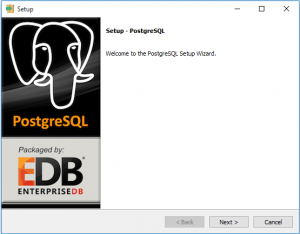
- Double click on the installer file, an installation wizard will appear and will guide you through multiple steps where you can choose different options that you would like to have in PostgreSQL.
- Start Installing PostgreSQL. Click on Next
- Specify installation folder – choose your own or keep the default folder suggested by PostgreSQL installer.
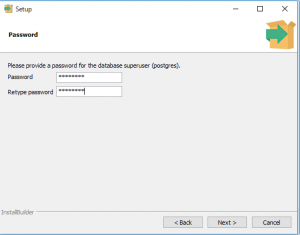
- Enter the password for the database superuser and service account.
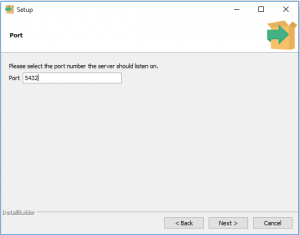
- Enter the port for PostgreSQL. Make sure that no other applications are using this port. Leave it as default if you are unsure.
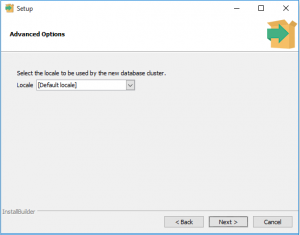
- Choose the default locale used by the database.
You’ve completed providing information for the PostgreSQL installer.
- Click the Next button to install PostgreSQL
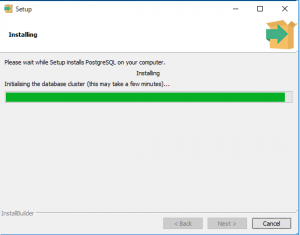
The installation may take few minutes to complete.
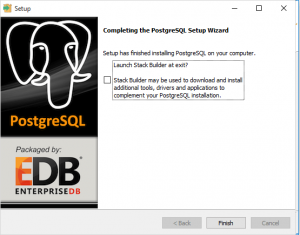
- Click the Finish button to complete the PostgreSQL installation.
Verify the Installation
There are several ways to verify the installation. You can try to connect to the PostgreSQL database server from any client application e.g., psql and pgAdmin.
The quick way to verify the installation is through the pgAdmin application.
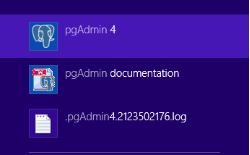
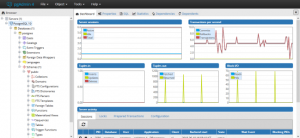
Click on pgAdmin to launch it. The pgAdmin GUI will be displayed as below.
A Look at PostgreSQL User-defined Data Types
Besides the built-in data types, PostgreSQL allows you to create user-defined data types through the following statements:
CREATE DOMAIN creates a user-defined data type with constraints such as NOT NULL, CHECK, etc.
To make it easier, Create a contact_name domain as below:
[cc lang="C#"]CREATE DOMAIN contact_name AS

VARCHAR NOT NULL CHECK (value !~ '\s');[/cc]
And use the contact_name as the data type of the first_name and last_name columns:
[cc lang="C#"]CREATE TABLE mail_list (

id serial PRIMARY KEY,

first_name contact_name,

last_name contact_name,

email VARCHAR NOT NULL

);[/cc]
Related Post



-
F
-
A
-
Q
PostgreSQL is a free and open-source database system used to store, organize, and manage information. It can handle both simple and large amounts of data and is designed to keep that information safe and accurate. It is widely used because it is reliable, flexible, and can be customized to meet different business and application needs.
PostgreSQL is a good choice because it is free, reliable, and supports many useful features for managing data. It allows developers to search, update, organize, and protect information efficiently. It can also be customized when an application has specific data or business requirements, making it useful for many different types of projects.
PostgreSQL can store many different types of information depending on what an application needs. It can handle dates and times, lists of information, unique identification numbers, documents such as JSON and XML, and location or shape-related information. It also allows developers to create their own data types when the standard options are not enough.
PostgreSQL is a free and open-source database, while Microsoft SQL Server is a commercial database product from Microsoft. Both can be used to store and manage application data, but they offer different features, pricing options, and ways of handling information. PostgreSQL also provides several advanced features that give developers more flexibility when building and managing applications.
You can install PostgreSQL on Windows by downloading its installation setup from the official PostgreSQL website or through EnterpriseDB. During the installation, you will need to choose where PostgreSQL should be installed, create a password, select a connection port, and choose the required regional settings. After these steps are completed, the installer will set up PostgreSQL on your Windows computer.
After installing PostgreSQL, you can check whether it is working by connecting to the database using tools such as psql or pgAdmin. The blog recommends pgAdmin because it provides an easy-to-use visual interface for working with PostgreSQL. If you can open pgAdmin and connect to your PostgreSQL server successfully, the installation is generally working correctly.
User-defined data types allow developers to create their own type of data when the standard PostgreSQL options do not meet their needs. For example, developers can create a custom type with rules that make sure certain information is entered correctly. This can make it easier to keep data consistent and apply the same rules in different parts of an application.
PostgreSQL offers many features that help businesses and developers store, manage, search, and protect their data. It supports advanced searches, data relationships, automatic actions, secure transactions, and different types of information such as documents and location data. It can also be extended and customized, making it suitable for applications with simple as well as more advanced data requirements.
Want to Scale Your Business? Let’s Meet & Discuss!

CANADA
30 Eglinton Ave W Mississauga, Ontario L5R 3E7

INDIA
3rd floor Purusharth Plaza, Amin Marg, Rajkot, Gujarat. 360002
INDIA
1116, Zion Z1, Sindhu Bhavan Marg, Nr. Maple County Road, Bodakdev, Ahmedabad, Gujarat. 380059
Get a Quote Now
Let's delve into a thorough understanding of your challenges and explore potential solutions together